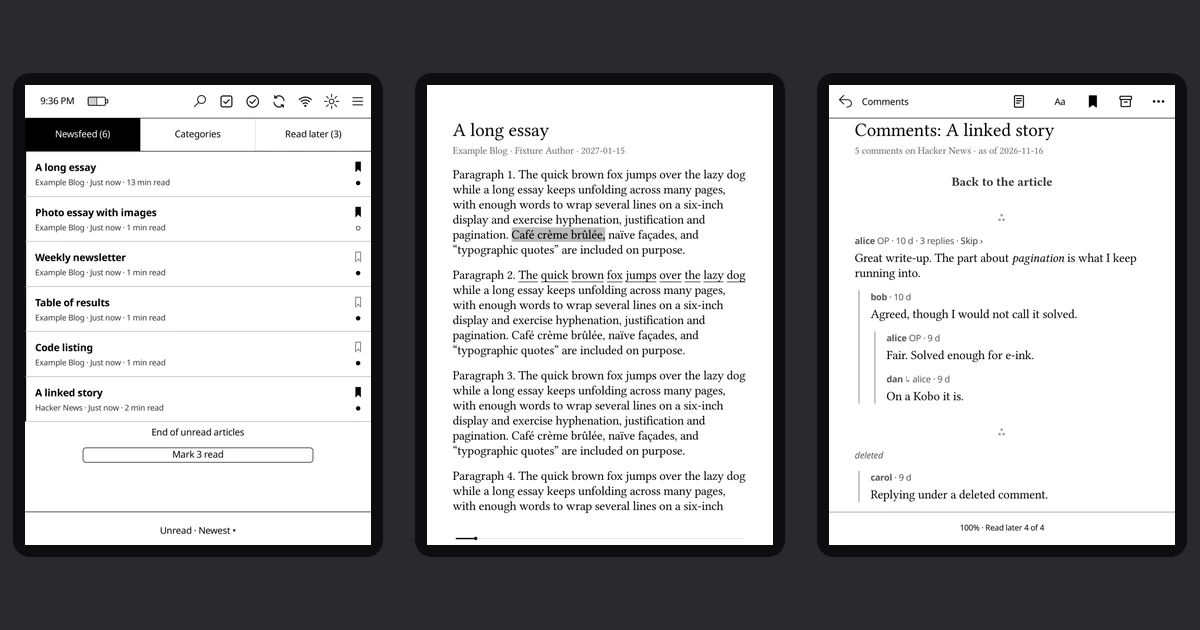
InoInk turns a Kobo e-reader into an Inoreader client. It talks to the Inoreader API directly, keeps articles and their images on the device for offline reading, and sends your changes back when Wi-Fi is available. There is no server, browser extension or read-later service in between.
- Reading built for e-ink. Plato's typesetting, with hyphenation, justification, e-ink fonts and a Kobo-style panel for size, spacing and margins. Formulas from KaTeX, MathJax and LaTeX are typeset on the device.
- The newsfeed and the reading queue. A Newsfeed tab and a Read later tab, each filtered by folder, feed or tag, with reading progress synced from Inoreader. Mark a list read up to a point, archive what you finished, and undo any of it.
- Discussions, too. A Hacker News or Lobsters link opens as the full article, with the threaded comments one tap away, both cached for offline reading.
- Highlights that leave the device. Highlight and annotate as you read, then export to Markdown, HTML or Readwise-style JSON.
It installs from the project page in Chrome or Edge and touches only its own folder on the Kobo. It is unofficial and not affiliated with Inoreader or Rakuten Kobo.
Status: early; developed on a Kobo Libra Colour.